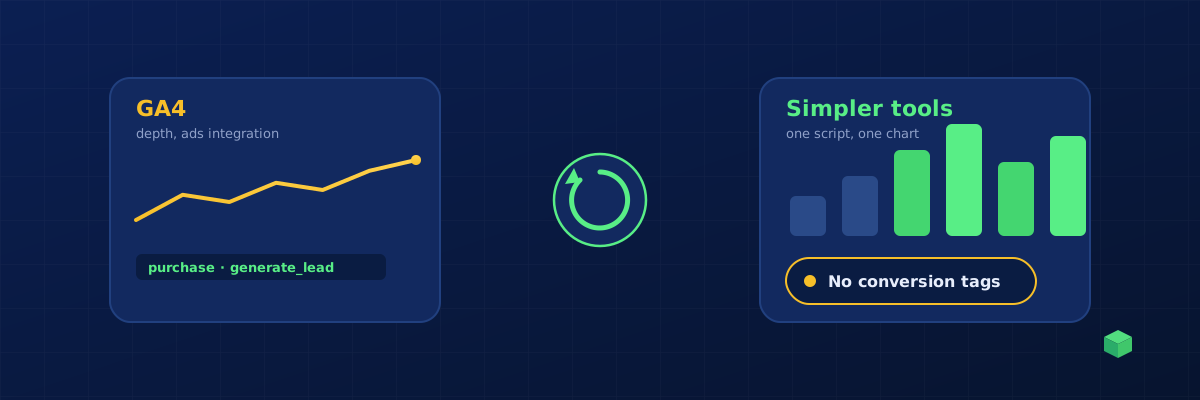
Yes, and some of the alternatives are excellent. Plausible, Fathom, Simple Analytics, Matomo, Umami and Microsoft Clarity are all easier to read than Google Analytics 4. But before you switch, be clear about which problem you are trying to solve. If GA4's reports confuse you, an alternative fixes that. If setting up conversion tracking is the pain, switching analytics tools does not fix it, because the tracking work lives in your site and your ad platforms, not in the dashboard.
The two different problems people call "Google Analytics is hard"
Problem one: reading the reports. GA4's interface is built for analysts. Explorations, comparisons, event parameters and attribution settings are powerful and unfriendly. A marketer who wants "how many visitors, where from, what did they do" has to dig.
Problem two: getting real data in. GA4 only records page views and a few automatic events by itself. Every conversion that matters, a form submission, a phone click, a purchase, has to be set up as an event, usually through Google Tag Manager, with the right trigger for your specific site. That is the half-day job, and it is the same job whether your destination is GA4, Plausible or anything else. Our GA4 event tracking guide shows what that involves.
Alternatives solve problem one. Only better setup solves problem two.
The easier alternatives, honestly compared
| Tool | Best for | Cookie banner needed? | Custom events and goals | Sends conversions to ad platforms? |
|---|---|---|---|---|
| Plausible | Simple, readable traffic reporting | Usually not (no cookies by default) | Yes, via script attributes or API | No |
| Fathom | Same idea, strong on privacy | Usually not | Yes | No |
| Simple Analytics | Minimal one-page dashboard | Usually not | Yes | No |
| Matomo | Full analytics you can self-host, GA-like depth | Depends on configuration | Yes, extensive | No |
| Umami | Open-source, lightweight, self-host | Usually not | Yes | No |
| Microsoft Clarity | Free heatmaps and session recordings | Yes in most regions | Limited | No |
| Google Analytics 4 | Depth, free, integrates with Google Ads | Yes in most regions | Yes, everything is an event | Google Ads yes, others via GTM |
The last column is the one that decides it for advertisers. Google Ads bids on conversions it receives through its own conversion tags or through GA4 key events. Meta learns from Pixel and Conversions API events. LinkedIn and Microsoft have their own tags. None of the simpler tools feed those systems. If you run ads, you keep those tags whatever dashboard you choose, and Google Tag Manager remains the sensible way to deliver them, as explained in GA4 vs Google Tag Manager.
A practical way to decide
- No ads, content or brochure site, you want a clean traffic chart: pick Plausible, Fathom, Simple Analytics or Umami. Install one script. You are done, and you may not need a cookie banner for it, though check the rules that apply to you.
- No ads, but you want depth and own your data: Matomo.
- You run Google Ads, Meta, LinkedIn or Microsoft Ads: keep GA4 and the platform tags, deliver them through Google Tag Manager, and make the setup easy with a generator instead of doing it by hand. Add a simpler dashboard on top if the GA4 interface is the issue.
- You sell online: same as above. Purchase, add to cart and checkout events are the ones ad platforms need most, and they need to reach the platforms, not just a dashboard. See tracking purchase events in GA4.
Making GA4 easier instead of replacing it
If you land in the "keep GA4" group, three things remove most of the pain:
- Generate the events rather than writing them. A tool that scans your site and writes the GTM triggers for your buttons, forms and checkout turns the half-day into minutes.
- Use one container for every channel. One GTM event can feed GA4, Google Ads and Meta at the same time, with the right event name for each.
- Read the data somewhere friendlier. Looker Studio, or a monitoring dashboard that shows events per site in plain terms, is easier than GA4's Explorations for day-to-day questions.
Consent still applies whichever route you take. Consent Mode v2 keeps GA4 and Google Ads compliant in the EU and UK without losing all modelling.
Where TrackingCoder fits
TrackingCoder is not an analytics alternative; it is the layer that makes GA4 and the ad platforms easy to set up. Paste your URL, pick what to track, and one click places every tag, trigger and variable in your Google Tag Manager workspace, with the correct event name for GA4, Meta, Google Ads, LinkedIn and Microsoft Ads. The integration is verified by Google and nothing publishes without you. If GA4's reports are the part you dislike, TC Pro shows live events, goals and traffic sources per site in a dashboard built for marketers, and tells you when tracking breaks.