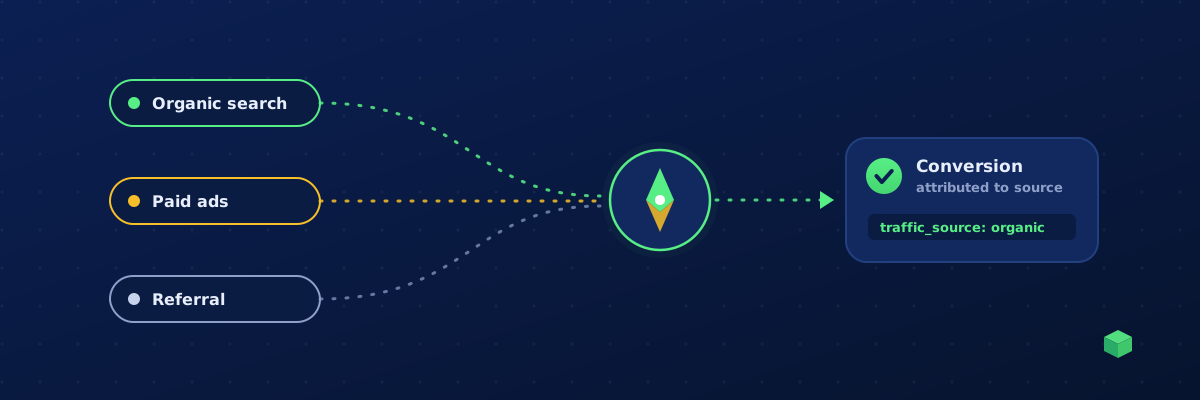
You can rank a page, win the click, and still have no idea whether that visitor actually did anything. Most analytics setups can tell you "organic search sent 4,000 sessions" but go quiet the moment you ask the question that matters: which channel drove this conversion? Tying each event - a form submit, a call, a purchase - back to the source that earned it is how you prove SEO (or any channel) is working. This guide shows you how.
Why session source isn't event source
Google Analytics 4 records traffic source at the session and user level. That's useful for top-line acquisition reports, but it creates two blind spots:
- You can't read a single conversion's source at a glance. Seeing "which channel drove my purchases?" means building a custom exploration with the right dimensions - something most teams never do.
- Deep-page conversions collapse to "direct". A visitor lands from Google search, reads three articles, comes back the next morning and converts. If your tracking reads the referrer at conversion time, that high-value SEO conversion gets miscredited to "direct" - and your organic channel looks weaker than it is.
The fix is to capture the source once, on entry, attach it to every event in that session, and store it as a dimension you can actually report on.
First-touch vs last-click: pick the right model
There are two common ways to attribute an event to a source:
- Last-click / at-event: read whatever referrer or campaign data is available at the moment the event fires. Simple, but it loses the original channel on multi-page or returning visits.
- Session first-touch: capture the channel that started the session and reuse it for the whole visit. This is what you want for SEO and content, because the page that earned the click is usually not the page where the conversion happens.
For organic-traffic attribution, session first-touch wins almost every time. The blog post that ranks is the top of the funnel; the conversion happens later, deeper in the site.
How to resolve a clean source label
"Traffic source" should be a single, short, predictable label - not a raw URL. Resolve it in strict priority order, highest-signal first:
- Ad-platform click IDs (paid): the presence of
gclidorgbraidmeans Google Ads;fbclidmeans Meta;msclkidmeans Microsoft Ads;ttclidmeans TikTok. These are unambiguous - check them first. - UTM source: if there's no click ID, use
utm_source(e.g.newsletter,partner). - Referrer hostname: no click ID and no UTM? Normalise the referring hostname to a label - a Google/Bing/DuckDuckGo referrer with no ad-click ID is organic search; a social hostname becomes that network; everything else becomes the bare domain.
- Direct: no referrer at all (typed URL, bookmark, app) becomes
direct.
That ordering is what separates good SEO traffic from paid: a visitor from google.com without a gclid is organic; with a gclid they're a paid click. Getting this right is the whole game for measuring SEO.
Step by step: capture it yourself
1. Capture on the first pageview
On entry, resolve the label using the priority order above and stash it. Use sessionStorage (or a short-lived first-party cookie) so it survives navigation but resets per session:
- Read
document.referrerand the URL search params once, on the first page of the session. - Resolve to a label and save it under a key like
tc_src. - If the key already exists, leave it - that's what makes it first-touch.
2. Attach it to every event
When any tracked event fires - a button click, a form submit, a purchase - read the stored label and include it as a parameter, e.g. traffic_source: "organic". Now the source travels with the conversion, not just the session.
3. Register the custom dimension in GA4
In GA4, go to Admin → Custom definitions and register traffic_source as an event-scoped custom dimension. Without this, the parameter is collected but won't appear in standard reports or explorations.
4. Capture the landing page too (for SEO)
To answer "which of my ranking pages actually convert", also store the entry/landing path on session start (e.g. entry_page) and attach it to events. Group conversions by traffic_source = organic and by entry_page and you have a ranked list of the SEO pages that earn real outcomes - not just sessions.
5. Strip query strings before you store anything
Never persist the raw URL or full query string. Keep only the resolved label. Campaign parameters and click IDs can contain identifiers you don't want in your analytics store - resolve, then discard.
The shortcut: let TrackingCoder do it
Doing this by hand means custom GTM variables, a sessionStorage helper, careful referrer parsing, and a GA4 custom dimension - then a custom exploration to read it. TC Pro builds it in. Every tracked event is automatically attributed to a source using exactly the priority order above, with session first-touch baked in, and each monitored domain gets an Events by traffic source breakdown - a per-channel chart over time plus a ranked list of which sources drive your conversions. Query strings are stripped server-side; only the short label is stored.
If you want the full detail on how detection and counting work, see the Traffic source tracking documentation.
What you can finally answer
- "Is our SEO actually converting?" - filter events to
traffic_source = organicand watch the conversion count, not just sessions. - "Which blog posts earn revenue?" - group organic conversions by entry page.
- "Are paid and organic cannibalising?" - compare
google_adsvsorganicon the same conversions. - "Did that backlink do anything?" - referral sources show up as their own labels.
Tracking the traffic source of an event turns analytics from "we got traffic" into "here's the channel that earned this result." For anyone investing in SEO, that's the difference between guessing and proving.