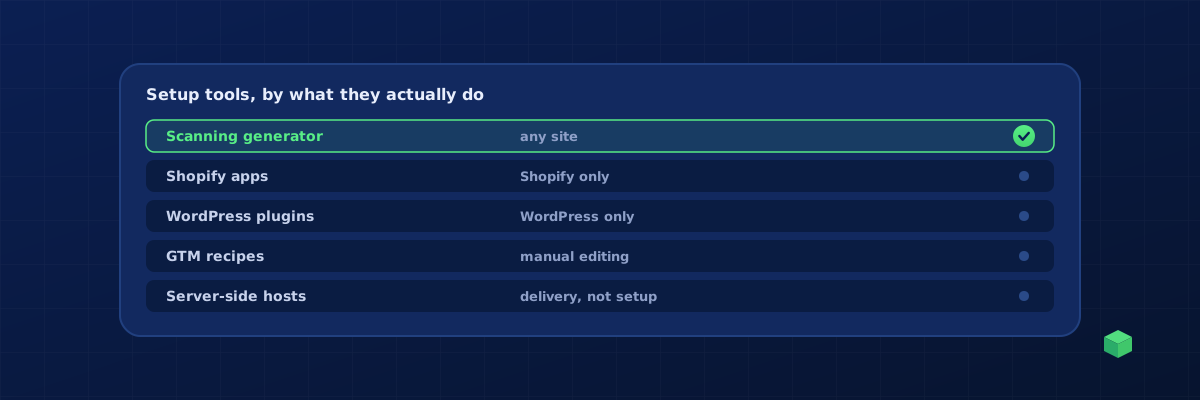
There is no single best tool, because the tools solve different problems for different platforms. This comparison groups them by what they actually do, says who each is for, and is written by the makers of one of them, so weigh our view accordingly. The short version: if you are on one platform and only need standard commerce events, that platform's app may be enough; if you need conversions from real buttons, forms and bookings on any site, you want something that reads your site and works through Google Tag Manager.
First, what "setting up events" involves
GA4 and Meta both need to be told when something happened. A GA4 event such as generate_lead or purchase and a Meta event such as Lead or Purchase have to be fired at the right moment, with the right parameters, once. The tool's job is to detect the moment (the trigger) and send the right event to each platform. That is where the categories below differ. For background, see GA4 custom event tracking and Meta conversion tracking.
The categories
| Category | Examples | Platforms | Strength | Limit |
|---|---|---|---|---|
| Scanning generator | TrackingCoder | Any site | Events built for your specific pages, placed in GTM in one click, five channels from one setup | Standard events and forms; custom web apps may still need a data layer |
| Shopify data-layer apps | Elevar, Analyzify | Shopify | Deep e-commerce events, server-side options, agency-grade | Shopify only; priced for stores with real ad spend |
| WordPress plugins | PixelYourSite, MonsterInsights | WordPress, WooCommerce | Quick installs, WooCommerce events, no GTM required | WordPress only; plugin conflicts; limited custom events; MonsterInsights is reporting-first |
| Platform-native integrations | Shopify's Google and Meta channels, Wix and Squarespace built-in pixels | Their own platform | Free, no setup | Standard commerce events only; no buttons, calls, custom forms |
| GTM recipes and templates | Community templates, educator recipe containers | Any site | Free, good learning material | Generic; every trigger needs editing for your site |
| Server-side tagging hosts | Stape | Any site | Conversions API, first-party cookies, ad-blocker resilience | Not a setup tool; you still need the events defined first |
Who should use what
Shopify store with real ad spend
Start with Shopify's native Google and Meta channels for the standard commerce events. When you need accurate data layers, server-side delivery and multi-channel consistency, Elevar and Analyzify are the specialist options. A scanning generator adds what the apps do not: tracking for contact forms, phone clicks, size guides, wishlist buttons and anything outside the checkout. Our Shopify tracking guide covers the platform details.
WordPress and WooCommerce
PixelYourSite is the common choice for pixels and WooCommerce events without GTM. If you prefer everything in Google Tag Manager, which is easier to audit and share with an agency, generate the container for your specific theme and form plugin instead. Form plugins are the usual pain here; the WordPress tracking guide explains why Contact Form 7, Gravity Forms and WPForms each need different triggers.
Webflow, Wix, Squarespace, HubSpot and custom sites
Apps and plugins mostly do not exist here, and native integrations cover page views and little else. A GTM-based setup is the practical route, either built by hand from the recipes or generated from a scan.
Agencies managing many sites
The question changes from "which tool" to "what repeats". A generator that scans each site, a consistent GTM naming convention, and a monitoring dashboard across every domain matter more than any single feature. Per-site app fees add up quickly.
Questions to ask any tool
- Does it read my site, or give me a template I have to adapt?
- Does it place the setup in Google Tag Manager, or lock it inside the tool?
- Does it send the same event to GA4, Meta, Google Ads, LinkedIn and Microsoft with the right name for each?
- Can I test in Preview before anything goes live?
- Does it handle Consent Mode v2?
- Will it tell me when an event stops firing?
Where TrackingCoder fits
TrackingCoder is the scanning generator in the table. Paste your URL, it detects the platform, forms, pixels and existing IDs, you pick from 450+ events, and one click places every tag, trigger and variable in your Google Tag Manager workspace, with the correct event name for GA4, Meta, Google Ads, LinkedIn and Microsoft Ads. The integration is verified by Google; you review and publish. It works on any platform, includes 5 free credits a month and no card, andTC Pro adds the monitoring that answers the last question above.