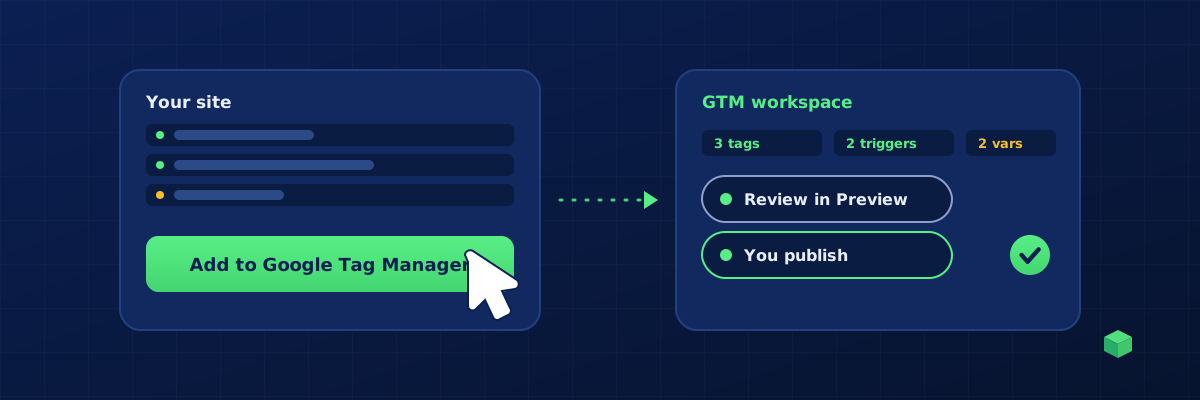
Yes, most of Google Tag Manager setup can be automated. Tags, triggers, variables, folders and whole container versions can all be created by software. What should stay human is the judgement: deciding what to track, testing in Preview, and pressing Publish. This guide covers what automation can do, the three ways to do it, and the one thing to keep manual.
What can be automated
- Creating tags: GA4 event tags, Google Ads conversion tags, Meta Pixel events, LinkedIn and Microsoft tags, with the right IDs filled in.
- Creating triggers: click triggers with the right selectors, form triggers matched to the plugin, page view triggers for confirmation pages, custom event triggers for data layer pushes.
- Creating variables: data layer variables for order value and transaction ID, constants for IDs, lookup tables.
- Assembling a container version with all of the above wired together.
- Publishing, though see the last section for why you should not.
What cannot be automated well
Deciding which five things matter to your business, checking that a purchase fires once rather than twice, and noticing that the "Submit" button on your booking page is not actually a form. Automation is excellent at producing configuration. It is not a substitute for a five-minute Preview session.
Three ways to automate it
1. Templates and recipe containers
The Community Template Gallery offers pre-built tag types, and tracking educators publish container JSON files with common setups. You import them with the Merge option. They are free and fast to import, but generic: every trigger still has to be edited to match your site's real selectors and form behaviour. For a single site this can take as long as building from scratch. They are best as a starting point for people who already know GTM.
2. The Google Tag Manager API
The API exposes everything the GTM interface does. Agencies use it to push a standard container to fifty client accounts or to enforce naming conventions. It requires a developer, OAuth credentials and, for a third-party tool, Google's verification process for the Tag Manager scope. It solves the "many containers" problem more than the "this specific site" problem.
3. Scanning generators
A scanning generator combines the two. It reads your site to learn the platform, forms, buttons and existing IDs, generates the specific tags and triggers for it, and then uses the GTM API to place them in a workspace you choose. You get a container built for your site in minutes, and you still review and publish. This is the approach that removes the manual trigger editing that templates leave behind.
Import versus direct placement
| Container JSON import | Direct placement via the API | |
|---|---|---|
| Steps for you | Download, open GTM, Admin, Import, choose Merge, choose rename, confirm | Click once, review in the workspace |
| Biggest risk | Choosing Overwrite by mistake and deleting your container | Granting the wrong account access; check the scope |
| Works offline | Yes | No, needs a connected Google account |
| Best for | Backups, sharing between people, air-gapped workflows | Everyday setup |
If you do import, always choose Merge and rename conflicting items. If someone already chose Overwrite, restoring a GTM container after an overwrite explains how to get it back from version history.
The one thing to keep manual
Publishing. Every automated route above stops at a workspace with unpublished changes for a reason. Open Preview, perform each conversion, confirm each tag fires once, then publish. That single habit prevents the two most expensive tracking failures: double-counted purchases that inflate ad platform bidding, and silent zero-counts that starve it.
Where TrackingCoder fits
TrackingCoder is a scanning generator with direct placement. Paste your URL, pick what to track, and click Add to Google Tag Manager. It creates the tags, triggers and variables in the container and workspace you choose, using the Tag Manager permission only, and the integration is verified by Google. Nothing is published; you review in Preview and publish yourself. A container file download is still available if you prefer the import route. Start with 5 free credits a month and no card.