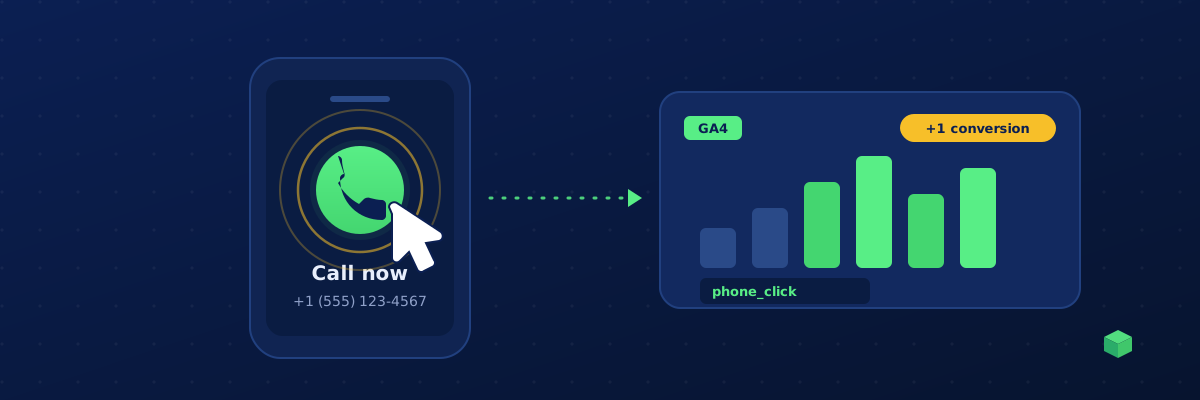
For a plumber, a law firm, a dentist or any service business, the phone call is the conversion. Someone tapping your number on their phone is worth more than almost any other action on the site - and yet it's one of the most commonly untracked events in GA4. The reason is simple: GA4 doesn't track phone clicks on its own, and most people assume it does.
Why GA4 misses phone clicks by default
GA4's Enhanced Measurement turns on a handful of automatic events - page views, scrolls, outbound clicks, site search, video engagement and file downloads. It's tempting to assume "outbound clicks" covers your phone number. It doesn't.
A click-to-call link is an anchor whose href starts with tel:, like <a href="tel:+15551234567">. GA4's outbound-click logic only fires for links that lead to a different website - it deliberately ignores tel: and mailto: links. So every tap on your phone number is invisible in your reports unless you add an event for it yourself.
The approach: one delegated listener
You don't need a separate handler on every phone number. The robust pattern is a single delegated click listener on the document that checks whether the click happened inside a tel: link. Delegation matters because phone numbers are often injected after load - by a page builder, a sticky call bar, or a dynamic-number-insertion script - and a listener attached on page load would miss those.
document.addEventListener('click', function (e) {
  var link = e.target.closest('a[href^="tel:"]');
  if (!link) return;

  var number = link.getAttribute('href').replace('tel:', '');

  gtag('event', 'phone_click', {
    link_text: (link.textContent || '').trim().slice(0, 100),
    phone_number: number,
    page_location: location.href
  });
});
That's the whole GA4 side. Because it reads the href at the moment of the click, it works for numbers that didn't exist when the page first loaded.
Catching call buttons, not just text links
Most "Call us" buttons are still tel: anchors under the styling, so a[href^="tel:"] catches them. Page builders follow the same pattern - an Elementor or Divi call button is an anchor with a tel: href, so the single delegated listener covers them too. The same delegation technique powers our guide to tracking button clicks in GA4 and tracking outbound link clicks - it's the most reliable way to track clicks on elements you don't control individually.
The rare exception is a button that triggers a call through JavaScript instead of a tel: href. Those need a selector tied to the specific button, because there's no tel: link to detect.
Turning a phone click into an ad conversion
The GA4 event tells you how many people call. To make it improve your campaigns, the same click needs to reach your ad platforms so they can optimise for it.
Google Ads: either import the phone_click key event from GA4 as a conversion, or fire a conversion tag directly in the handler:
gtag('event', 'conversion', {
  send_to: 'AW-123456789/AbCdEfGhIjKl'  // your Conversion ID + Label
});
Our Google Ads conversion tracking guide covers where to find that ID and Label. Meta: a phone click maps cleanly to the Contact standard event - add fbq('track', 'Contact'); in the same handler so Meta's algorithm can find more callers. See the Meta conversion tracking guide for why standard event names matter.
Mobile vs desktop, and a note on privacy
A tel: click is fully trackable on every device - the click event always fires. Only the outcome differs: phones dial immediately, desktops hand off to Skype/FaceTime or do nothing. Track the click regardless; the intent is the signal.
If you store the dialled number as a parameter, be mindful it's a business number (yours), not the visitor's - so it's safe. Never capture the caller's number from anywhere; that's PII you don't want in analytics.
Dynamic number insertion (CallRail and friends)
Call-tracking platforms swap your displayed number for a unique trackable one per source. That happens after the page loads, which is exactly why the delegated listener above is the right design - it reads the href at click time, so it always sees the current number. The call platform handles call-level attribution; your phone_click event gives you the on-site funnel view (which pages and CTAs earn the most call clicks) in the same GA4 property as everything else.
Testing it
Open GA4 → Reports → Realtime (or DebugView for parameter-level detail), then click a phone number - on a real phone, or in desktop browser dev tools with device emulation. The phone_click event should appear within about 30 seconds, with your link_text and page_location parameters attached. Once you see it, mark it as a key event in GA4 so it counts as a conversion.
The shortcut
Writing the listener is straightforward; getting every call button, page-builder selector and ad-platform mapping right across a real site is where the time goes. TrackingCoder generates the complete click-to-call setup for your specific site - the delegated tel: listener, page-builder call buttons, and the GA4 + Google Ads + Meta wiring already mapped - as a GTM container you import in one step. And because a silently broken call button can cost you real leads, TC Pro monitors your phone_click event and alerts you if calls suddenly stop being tracked.